TFVC is a Cursor and VS Code extension that puts Team Foundation Version Control back in the Source Control view. Microsoft’s Azure Repos extension no longer ships TFVC. This one talks to Visual Studio’s tf.exe or the Team Explorer Everywhere CLI and wraps the commands you already run in a terminal inside the editor you already use.
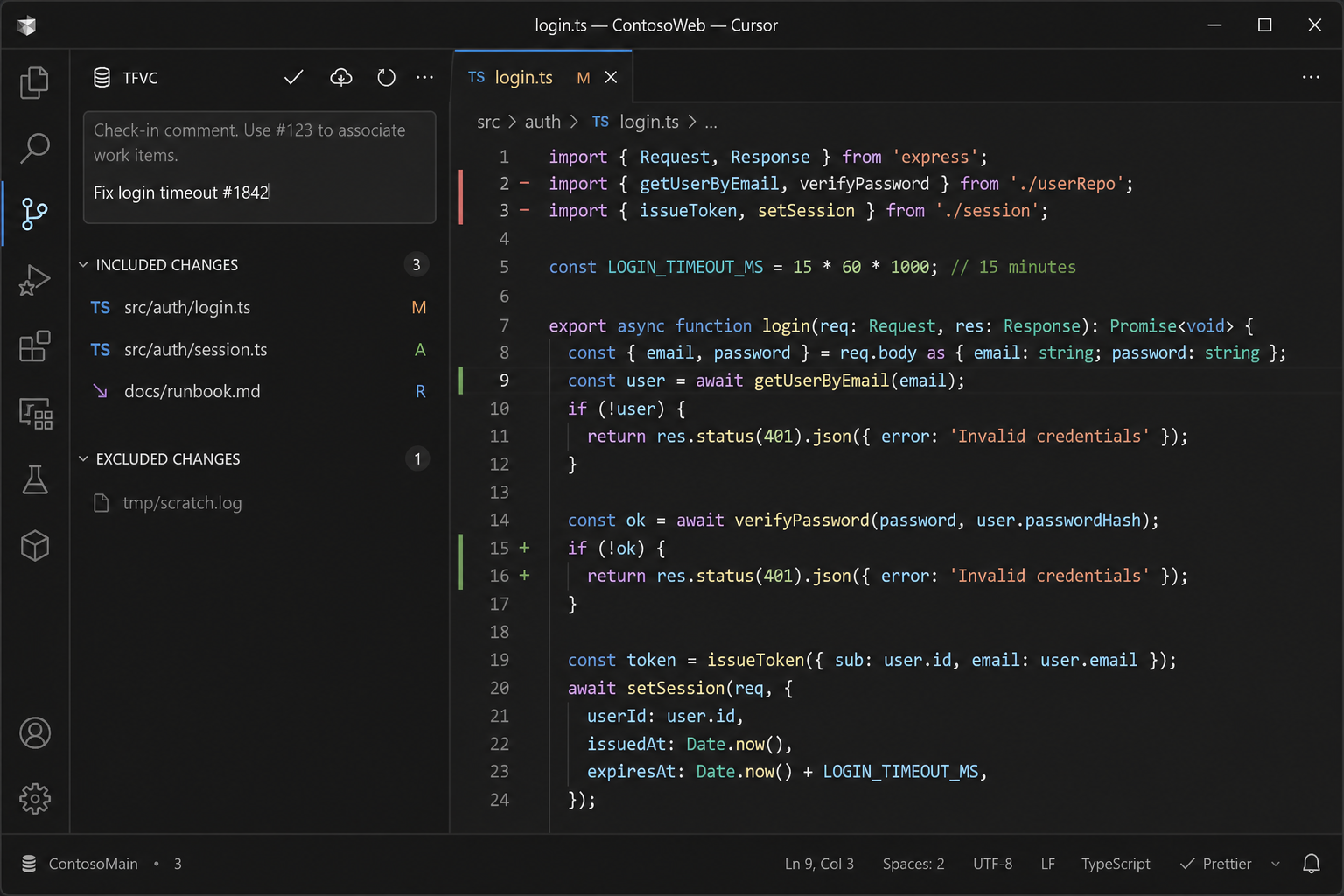
Cursor is VS Code-compatible, so this is a normal VSIX: same APIs, same SCM UI, same install path. Open a folder mapped with tf workfold, and pending changes, check-in, get latest, and diffs show up where Git would.
This project is not affiliated with Microsoft.
Why I built it
I write code in Cursor. One particular project would not move from TFVC to Git, and it was adamant about it. Migration was not on the table. The repo, the process, and the check-in culture were staying on Team Foundation Version Control.
That used to be a workable split. Microsoft’s Azure Repos VS Code extension spoke TFVC, Cursor is VS Code-compatible, and Visual Studio’s tf.exe was already on the machine. Then the official extension dropped TFVC. What was left was Visual Studio for every check-in, or a terminal full of tf status / tf checkout / tf checkin while the Source Control view sat empty.
Neither is an editor workflow. Server workspaces make files read-only until you check them out. Pending changes, shelvesets, and work-item association are not extras in a TFVC shop — they are the job. If the editor cannot do them, you bounce back to Visual Studio the moment you need to ship. The project was not going to Git. The editor still had to.
I did not want to reimplement TFVC. I wanted the Source Control view to tell tf what I meant: locate the client, parse status, paint included / excluded / conflicted, check in from the SCM box. Same VSIX in Cursor and VS Code. The CLI stays the source of truth. The extension is the surface.
Tech Stack
- TypeScript — VS Code extension host, compiled to a single
out/extension.js - VS Code SCM API — Source Control view, resource groups, quick-diff, and
Ctrl+Enter/Cmd+Entercheck-in - tf.exe / TEE CLC — the real TFVC client; the extension never talks to Azure DevOps over HTTP itself
- Secret Storage — password for
/loginstays out ofsettings.json
Architecture Overview
The extension is a tf client wrapper, not a second implementation of TFVC:
- Locator — finds Visual Studio
tf.exe(vswhereand known install paths) ortfonPATH;tfvc.pathoverrides - Runner — spawns the CLI with
/noprompt, redacts passwords in the Output channel, and handlesexevs CLC flag differences - Parsers — turn
status,history,shelvesets, andworkfoldtext/XML into typed pending changes and workspace mappings - SCM provider — paints included, excluded, and conflicted groups; check-in reads the SCM input box; diffs pull workspace versions through
tf view/tf print
Activation looks for a mapped workspace under the opened folder. No mapping, no provider. Save, filesystem watchers, and auto-checkout of read-only files (server workspaces) keep the view in sync without a background daemon.
Cursor / VS Code SCM  ─►  extension (TypeScript)
                              │
                              ▼
                         tf.exe / TEE tf
                              │
                              ▼
                    TFS / Azure DevOps TFVC
Key Features
- Source Control view — included, excluded, and conflicted pending changes; Check In, Get Latest, and Refresh in the title bar
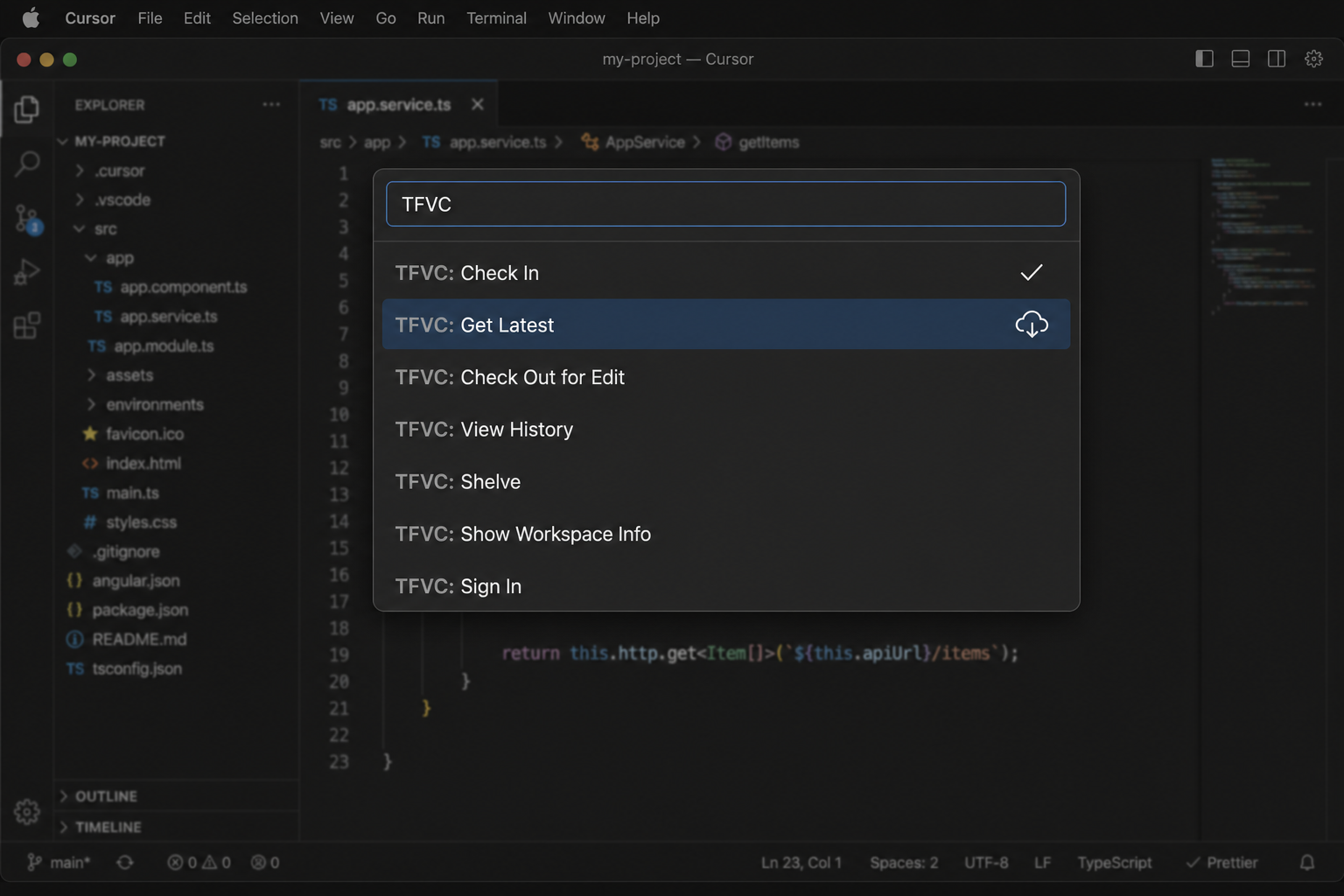
- Everyday TFVC — checkout, add, undo, delete, rename, get latest, history, shelve / unshelve
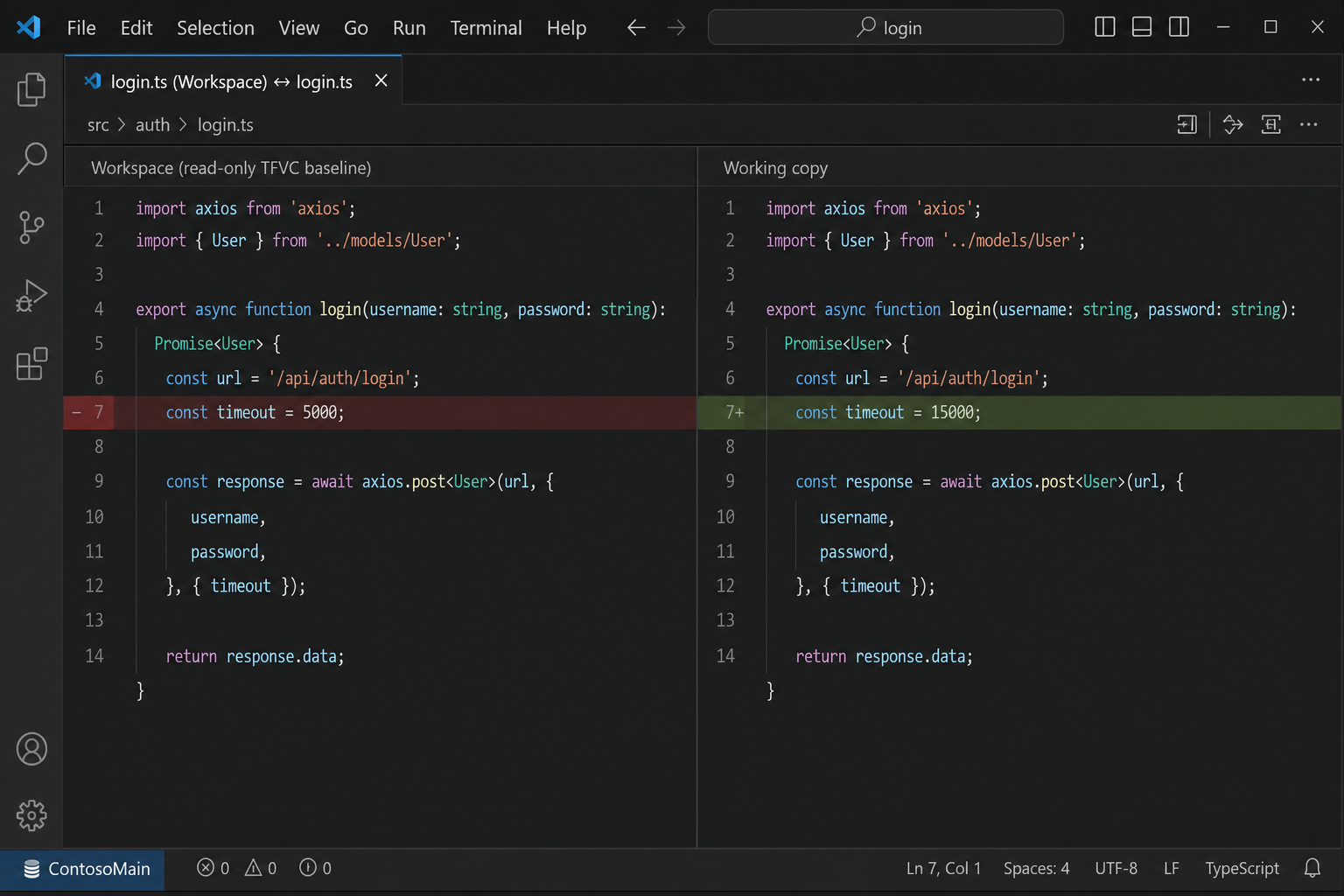
- Diffs — side-by-side against the workspace version; editor gutters use quick-diff from
tf view - Conflicts — keep-yours and take-theirs resolve from the conflicted group
- Auto-checkout — typing in a read-only file checks it out (server workspaces)
- Work items —
#123in the check-in comment associates items when using TEE CLC - Context menus — Explorer and editor actions under the TFVC category
- Sign in — username in settings, password in Secret Storage; Output logs every
tfinvocation with secrets stripped
Requirements
A TF command-line client and a folder already mapped with tf workfold.
| Platform | Client | Typical location |
|---|---|---|
| Windows | Visual Studio tf.exe | Team Explorer under Visual Studio 2022 |
| macOS / Linux | Team Explorer Everywhere CLC (tf) | on PATH, or set tfvc.path |
Install from a local VSIX (npm run package, then Extensions → Install from VSIX…) or press F5 in the repo for an Extension Development Host. Parser tests do not need tf.exe.